
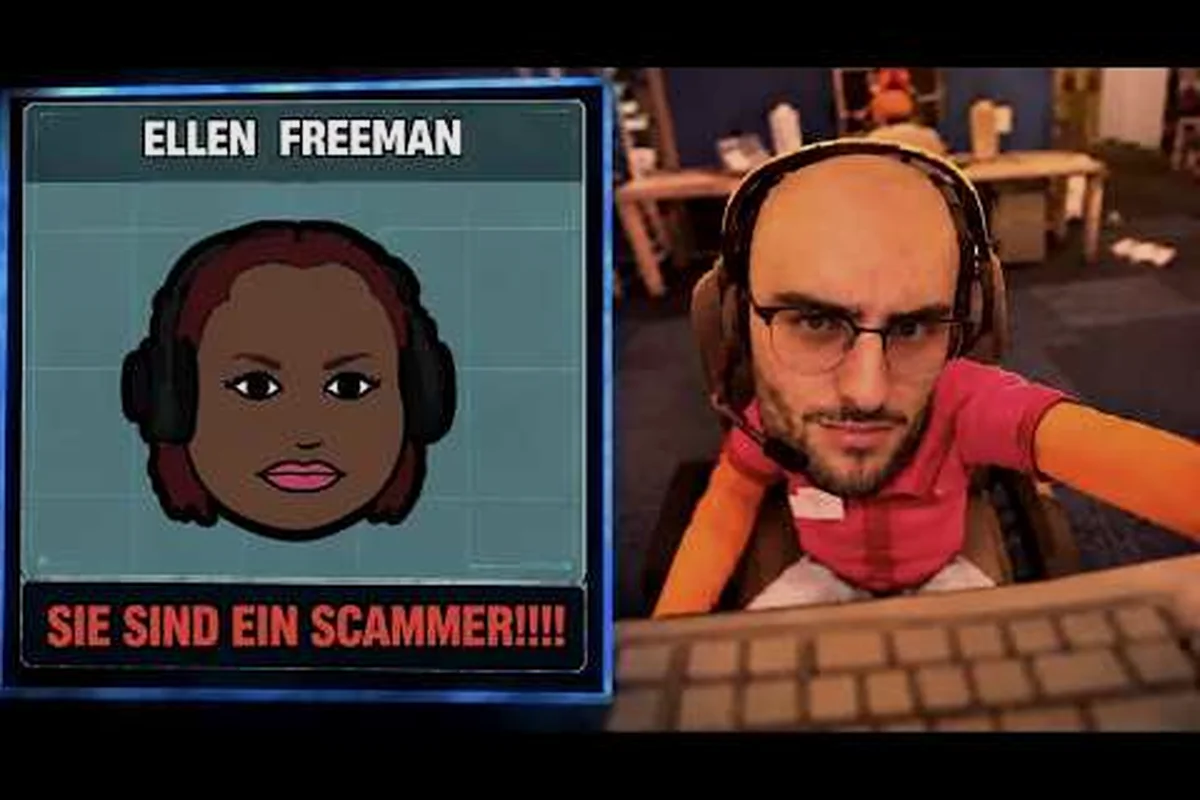
Custom callers are the heart of Scam With Your Friends, and a localize voice mod is what turns a generic AI personality into a caller who actually sounds like someone you know. When that voice pack breaks, the whole scam falls flat, so getting your local voice pack stable matters more than almost any other Workshop tweak.
Why Localize Voice Mods Break in Scam With Your Friends
A localize voice mod is not a single file, it is a small bundle: a JSON personality file paired with a set of cloned voice WAV files. According to the Scam With Your Friends Steam Workshop, custom callers combine these two pieces, and uploaded callers are meant to stay connected to the Daily Callers pool between sessions. That design is convenient, but it also means one bad file can poison the whole caller list.
The most common failure is a voice loading stall. Hotfix 2 addressed exactly this: stalled caller voice loading, including custom caller voices, no longer blocks input, and memory use when loading custom caller voices was reduced. If you are running an older build, a heavy voice pack can freeze your input mid-call.
Three root causes explain most breakage: mismatched sample rates, duplicate caller IDs, and malformed JSON. The first is a format problem — cloned WAVs exported at 48 kHz stereo fail to attach to a pipeline expecting 44.1 kHz mono, so the caller loads silently but never speaks. The second is an indexing problem: when two mods register the same personality slot, the Daily Callers pool has no tiebreaker, and one caller overwrites the other mid-session. The third is a parsing problem — a single missing comma in the personality JSON halts deserialization, leaving the cloned voice WAV orphaned.
-
Mismatched WAV sample rates — cloned audio recorded at 48 kHz can choke a pipeline tuned for 44.1 kHz mono files.
-
Duplicate caller IDs — two packs claiming the same personality slot fight over the Daily Callers pool.
-
Corrupted JSON syntax — a single missing comma stops the personality file from parsing, so the voice never attaches.
Understanding which of these applies saves you from blindly deleting everything — the fix for a 48 kHz stereo WAV is a re-export, not a mod removal, while a duplicate caller ID demands you rename or drop one pack entirely. In practice, voice stalls and upload queues are the two areas Jatater Worldwide has patched most aggressively, which tells you where the fragility lives: Hotfix 2 explicitly targeted stalled caller voice loading and cut memory use when loading custom caller voices, so if your localize voice mod still freezes input mid-call, you are almost certainly running a pre-hotfix build rather than hitting a new conflict.
How the Daily Callers Pool Interacts With Your Pack
The Daily Callers pool pulls from every subscribed caller, so a broken pack does not just fail silently, it can drag down load times for the entire roster. Players who stack ten or more voice packs often notice the first call of a session taking noticeably longer, because the game is validating each WAV set before the shift starts. Keeping your active pack count lean is one of the simplest stability wins available.
Diagnosing Mod Conflicts and Crashes
Before you touch a single file, isolate the problem. The fastest method is a binary disable test: turn off half your subscribed callers, launch a shift, and see whether the crash or mute returns. If it does, the culprit is in the remaining half; if not, it was in the disabled group. Repeat until one pack stands alone.
This table maps the symptom you are seeing to the most likely cause, based on community troubleshooting threads and the official patch notes. Treat it as a starting point rather than a verdict: the "Caller loads but stays silent" row, for instance, usually traces back to a localize voice pack whose WAV filenames drifted from the JSON references after a manual edit, not to a corrupt download. Work top to bottom and change one variable per test, so you can attribute the fix to a single cause instead of guessing which of three edits actually resolved the mod conflict.
| Symptom | Likely Cause | First Fix to Try |
|---|---|---|
| Caller loads but stays silent | Missing or misnamed WAV files | Verify file names match the JSON references |
| Input freezes during a call | Voice loading stall on old build | Update to the Hotfix 2 build |
| Game crashes on shift start | Two packs sharing a caller ID | Disable one pack and retest |
| Caller never appears in pool | Broken JSON syntax | Validate the personality file |
| Long load before first call | Too many heavy packs subscribed | Trim to your five favorite callers |
| Upload stuck in queue | Stuck Workshop upload blocking others | Re-upload after clearing the queue |
Notice that only one row points to a genuine crash. Most "mod crashes" players report are actually input stalls or silent callers, which feel like a freeze but recover once loading finishes. Distinguishing a true crash from a stall changes your entire fix strategy.
Using the Log to Pinpoint the Fault
If the game writes a log after a failed shift, read the last few lines before the failure. A reference to a missing audio path points at a WAV problem, while a parse error points at the JSON. This single habit eliminates most guesswork and stops you from resetting a pack that was never broken. If you are building callers from scratch, the custom personality files guide walks through the JSON structure that the game expects.
Fixing a Broken Local Voice Pack Step by Step
Once you have isolated the offending pack, repair it methodically rather than reinstalling everything. The order below reflects what actually resolves the majority of local voice pack failures. In practice, a malformed JSON personality file — a single trailing comma after the last caller entry, for example — will silently break the entire pack, so the two-minute syntax check catches more Scam With Your Friends localize voice failures than any other step. Work top to bottom: the cheap, low-risk checks first, then the heavier audio re-encode, and only fall back to a full pack reset if the caller still refuses to load.
-
Back up the caller folder so you can restore a working state if a fix makes things worse.
-
Open the JSON personality file in a plain text editor and check for trailing commas or unclosed brackets.
-
Confirm every WAV filename referenced in the JSON exists in the same folder, with matching capitalization.
-
Re-encode audio to a consistent format — mono, 44.1 kHz, standard bit depth — using a free converter.
-
Re-upload or re-subscribe the pack so the game re-reads the corrected files.
-
Launch a single-player shift first to confirm the caller loads before joining co-op.
That last step matters because co-op adds network sync on top of local loading. Testing solo removes one variable, so a failure there is almost certainly a file problem rather than a connection one. The connection issues guide covers the network side if your caller works solo but drops in a lobby.
| Fix Step | Time Needed | Risk Level | Success Rate (community) |
|---|---|---|---|
| JSON syntax check | 2 minutes | Very low | High |
| WAV filename match | 5 minutes | Very low | High |
| Audio re-encode | 10 minutes | Low | Medium |
| Re-upload pack | 5 minutes | Low | Medium |
| Full pack reset | 15 minutes | Medium | High |
When to Re-encode Instead of Re-record
If your cloned voice sounds distorted or crackly rather than silent, the problem is almost always encoding rather than the recording itself. Re-encoding the existing WAV files preserves your voice clone while fixing the format mismatch, which is far faster than re-recording. Only re-record if the source audio was noisy to begin with.
Performing a Clean Mod Reset in Scam With Your Friends
Sometimes repair is slower than a reset, especially when a pack has been edited many times and you have lost track of what changed. A clean mod reset means removing the caller entirely, clearing its cached data, and re-subscribing fresh. This is the nuclear option, but it is reliable.
The reset sequence is the order that actually matters, because the Localize Voice mod chain caches caller data in three places at once: the Steam Workshop subscription, the local caller folder under ScamWithFriends/Mods/DailyCallers, and the in-session caller pool the game rebuilds on launch. If you delete the folder but leave the subscription active, Steam re-downloads the same broken caller.json on next boot; if you unsubscribe without clearing the folder, the stale WAV and JSON files keep loading from disk and your mod crashes persist. That is why the steps below run in this specific order — unsubscribe first to stop the re-download, then purge locally, then restart so the Daily Callers pool regenerates empty before you re-subscribe.
-
Unsubscribe from the problematic caller in the Steam Workshop.
-
Delete the local caller folder so no stale WAV or JSON files remain.
-
Restart the game to let it rebuild the Daily Callers pool without the removed entry.
-
Re-subscribe to the caller and let it download cleanly.
-
Verify the caller appears in your pool before starting a shift.
Skipping the restart is the most common mistake, and it is the single step most players cut when they are impatient to get back into a shift. The game caches caller data between sessions in the in-session caller pool, which the engine rebuilds from disk on every launch — so re-subscribing without a restart can reload the same corrupted caller.json entry you just tried to remove, leaving the Localize Voice mod crash untouched. A full restart forces a clean read of ScamWithFriends/Mods/DailyCallers and regenerates the Daily Callers pool empty, which is the only state where a fresh subscription downloads without inheriting stale WAV references.
Resetting Without Losing Your Favorite Callers
You do not need to wipe every mod to fix one. Because the Daily Callers pool is per-caller, removing a single broken pack leaves the rest of your roster untouched. Keep a text list of your subscribed caller names so you can re-subscribe the good ones quickly if a broader reset ever becomes necessary. This habit turns a stressful wipe into a five-minute chore.
Preventing Future Voice Pack Conflicts
Prevention is cheaper than repair. The single biggest cause of mod conflicts is caller ID collisions, where two packs claim the same personality slot. Before you subscribe to a new caller, check whether its ID duplicates one you already run. Most Workshop uploads list their ID in the description.
A few habits keep your roster healthy: because each active voice pack loads its own caller ID and audio bank at session start, every extra entry competes for the same memory budget and raises the odds of a load stall or a silent caller during a heist. Capping your active packs at five to eight, solo-testing new callers before a co-op run, and keeping untouched WAV backups outside the game directory all reduce the chance that one bad upload takes down your whole localize voice setup.
-
Cap your active packs at a number your machine handles comfortably, often five to eight.
-
Test new callers solo before adding them to a co-op session.
-
Keep original WAV files in a separate backup folder outside the game directory.
-
Update after every hotfix, since voice loading behavior has changed across patches.
-
Read the Workshop comments on a pack before subscribing, as other players flag broken uploads fast.
If you enjoy building callers rather than just installing them, the mod ideas and tools overview explains how the developer supports community creation and where to publish your work. The same discipline that prevents localize voice conflicts applies to authoring: give your custom caller a unique ID that no existing pack claims, keep its audio bank under the same memory budget as a stock caller, and test it solo before uploading. Publishing through the Workshop also lets other players flag a broken WAV or a duplicate ID early, so one bad upload never cascades into a co-op heist crash.
| Prevention Habit | Effort | Payoff |
|---|---|---|
| Cap active packs | Low | Fewer load stalls |
| Solo-test new callers | Low | Catches bad files early |
| Back up WAV files | Low | Fast recovery |
| Update after hotfixes | Low | Avoids known bugs |
| Read Workshop comments | Very low | Skips broken uploads |
Recognizing a Healthy Pack
A healthy local voice pack loads within a second or two, plays cleanly on the first call, and survives a full session without stalling input. If a pack meets all three, leave it alone. Tinkering with a working caller is how players accidentally introduce the very conflicts they were trying to avoid.
When to Ask the Community for Help
Some failures resist every local fix. If a caller crashes the game on a fresh install with no other mods active, the pack itself is likely broken at the source. That is a signal to check the official channels rather than keep editing files. Jatater Worldwide runs an official Scam With Your Friends Discord where patch news and Unlimited AI activation problems are handled, and it is also where players compare notes on which callers are currently stable.
Before posting, gather three details: your game build, the exact caller name, and whether the failure happens solo or in co-op. That information lets others reproduce your issue quickly instead of guessing. A well-documented report often gets a fix within a day, while a vague "my mod is broken" post tends to sit unanswered.
Reading Patch Notes Like a Modder
Every hotfix that touches voice loading is relevant to you. Hotfix 2 lowered memory use when loading custom caller voices and stopped stalled voice loading from blocking input, which directly improved how many packs you can run at once. Tracking these changes tells you when a previously unstable pack becomes safe to re-subscribe, so you are not avoiding a caller that was fixed months ago.
Frequently Asked Questions
Why does my localize voice mod load but stay silent?
A silent caller almost always means the WAV filenames in your JSON do not match the actual audio files, or the files are missing entirely. Open the personality file, compare each referenced name against the folder contents, and fix any capitalization mismatches. Re-encoding the audio to mono 44.1 kHz also resolves silent-playback cases caused by format rejection.
Can two voice packs crash Scam With Your Friends at once?
Yes. When two packs claim the same caller ID, the game can crash on shift start because it cannot resolve which personality to load. Disable one pack, launch a shift, and confirm stability. Then check the Workshop descriptions for duplicate IDs before re-enabling anything, since most uploads list their identifier publicly.
How do I fully reset a broken caller?
Unsubscribe from the caller in the Steam Workshop, delete its local folder, restart the game so the Daily Callers pool rebuilds, then re-subscribe and let it download fresh. The restart is essential because the game caches caller data between sessions, and skipping it can reload the same corrupted entry you just removed.
Does updating the game fix voice loading stalls?
Often, yes. Hotfix 2 specifically stopped stalled caller voice loading from blocking input and reduced memory use when loading custom caller voices. If you are on an older build and experience freezes during calls, updating is the fastest fix. After updating, re-test any pack that previously caused stalls before assuming it is still broken.
How many voice packs can I run safely?
There is no hard cap, but in practice, five to eight active packs keeps load times reasonable on typical hardware. Each subscribed caller adds validation work before a shift begins, so trimming your roster to the callers you actually use is the simplest way to prevent long loads and memory pressure.
Three Habits That Keep a Voice Pack Running
Getting a localize voice mod to run cleanly comes down to three habits: isolate the failing pack before you edit anything, repair the specific file that broke rather than reinstalling everything, and reset only when repair stalls. The Daily Callers pool rewards a lean, well-maintained roster, and the patches that reduced voice loading memory use make that roster easier to sustain than ever. Keep your WAV files backed up, watch for caller ID collisions, and read patch notes whenever voice behavior changes. Do those things and your custom callers will keep picking up the phone without dragging your whole session down with them.