
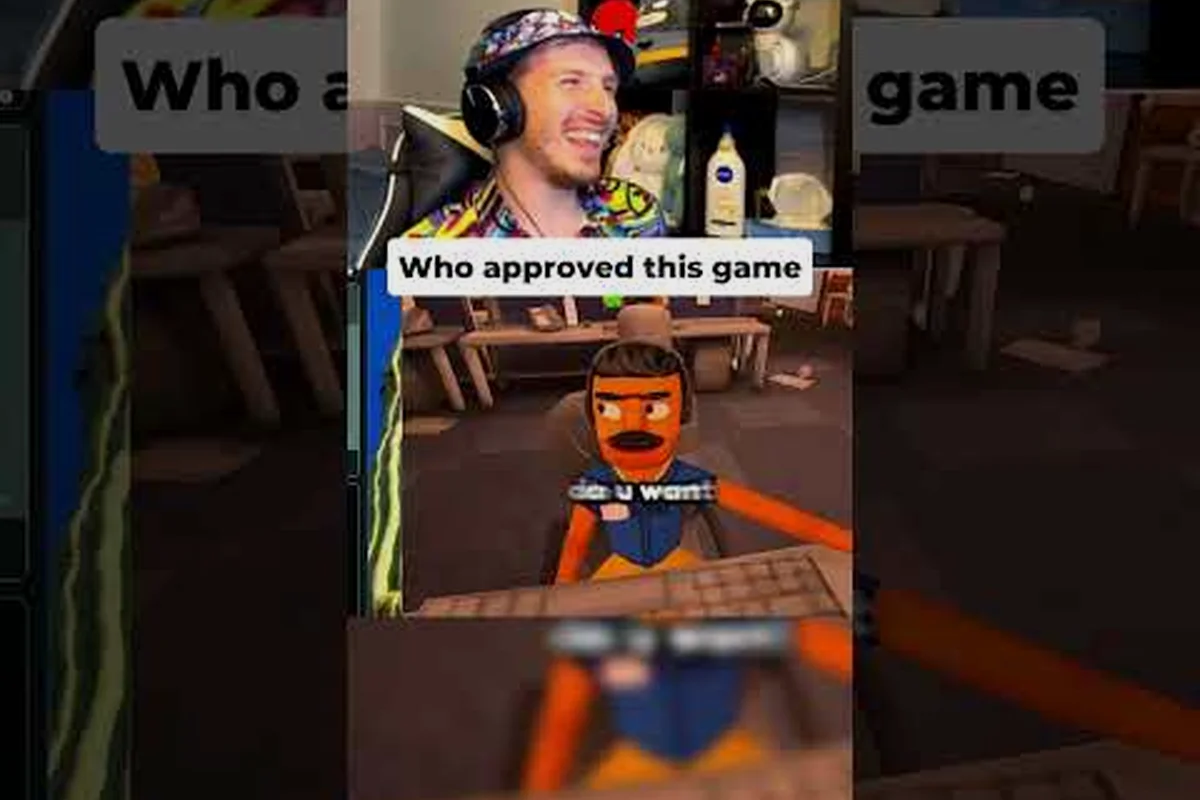
Surveillance is the backbone of every successful run, and Scam With Your Friends webcam access is the tool that turns a quiet victim computer into a goldmine of leverage. If you skip the camera and screen tools, you leave money on the table every single shift. Get the full breakdown below.
Why Webcam Access Changes Every Run
The webcam is not a cosmetic gimmick. It feeds the blackmail loop that pays your rent, and understanding how it interacts with the rest of your toolkit is the difference between a mediocre shift and a record payout. In practice, players who activate camera surveillance early earn noticeably more per victim than those who rely on chat logs alone.
Here is how the core surveillance tools stack up against each other in terms of setup cost, payoff, and risk: Webcam access demands the longest setup window since you must confirm an active feed and frame the shot, but it returns the highest per-victim payout because blackmail multiplies leverage on captured facial reactions. The screen recorder and screenshot tool cost almost nothing in setup time yet cap out at medium payout, since text and desktop evidence rarely triggers the same panic response. The in-game camera and paint app sit in a situational middle ground — cheap to deploy, but their payout swings wildly depending on whether the victim reacts on-screen. In practice, a short webcam capture on a single victim can outearn several screenshot-only runs, which is why experienced players treat the camera as a force multiplier rather than a standalone tool.
| Tool | Setup Time | Payout Impact | Detection Risk |
|---|---|---|---|
| Webcam access | Medium | High | Medium |
| Screen recorder | Low | Medium | Low |
| Screenshot tool | Very low | Medium | Very low |
| In-game camera | Low | High | Medium |
| Paint app | Low | Situational | Low |
The webcam sits in the high-impact group because it captures reactions that text logs cannot. A victim's facial expression when they realize what is happening is worth far more than a typed confession, and the game rewards that evidence accordingly.
Webcam access unlocks the moment you gain remote control of a victim's machine. From there, you can toggle the feed, capture stills, and store clips for later leverage. The key insight most new players miss is that the webcam is a persistent asset — once you have it, you can revisit that victim for additional payouts without redoing the intrusion.
Timing matters more than raw tool power. Activating the camera too early spooks cautious victims, while waiting too long lets them close the browser or shut the lid. The sweet spot is shortly after you establish a remote session, giving you enough time to confirm the victim is settled but not enough for them to grow suspicious.
Drop-outs mid-session are rarely a webcam problem — they usually trace back to the remote session itself. If your feed keeps dying before the camera even loads, the fixes in this troubleshooting guide for launch and connection errors typically clear up the underlying stability issue. That matters because a dropped session mid-capture burns your two-to-three-minute window: the victim regains control, the browser closes, and the webcam access you paid setup time for is gone. Worse, a reconnect forces you to re-establish the remote session from scratch, and cautious victims who notice the flicker often shut the lid before you can re-toggle the feed. Stabilize the connection first, then time your webcam activation — a clean session is worth more than an early one.
The Screen Recorder and Screenshot Tool Combo
Where the webcam captures faces, the screen recorder captures behavior. Together they form the evidence chain that blackmail values most, because a clip showing both the victim's screen and their reaction is nearly impossible for them to dispute.
The screen recorder runs in the background of a hijacked machine and logs everything the victim does — typed passwords, opened banking tabs, private messages. It is low-risk because it is passive; victims rarely notice a recorder running unless they check their task manager, which most never do.
The screenshot tool is your quick-strike option. It grabs a single frame instantly, costs almost nothing to fire, and works even on machines where the recorder has been disabled. Veteran players treat screenshots as insurance: snap one the moment you see something valuable, then let the recorder handle the long-form evidence.
| Scenario | Best Tool | Why |
|---|---|---|
| Victim typing a password | Screenshot tool | Instant, no lag, captures the exact frame |
| Long browsing session | Screen recorder | Full context over time |
| Victim on a video call | Webcam access | Face plus screen in one clip |
| Quick smash-and-grab | Screenshot tool | Fastest payout per action |
A practical workflow that community players swear by looks like this: fire the screenshot tool the moment a victim's screen shows a login field or banking tab, then immediately start the screen recorder so the passive log captures everything that follows — the password entry, the confirmation click, the panicked tab-switching. Once the victim is absorbed in on-screen content, toggle webcam access to layer a face clip over the screen footage, since a combined face-plus-screen capture is the hardest evidence for a target to dispute.
-
Fire a screenshot the instant a victim opens anything sensitive
-
Start the screen recorder immediately after, so you capture the aftermath
-
Toggle webcam access once the victim is absorbed in what is on screen
-
Store everything in your evidence vault before the session ends
The order matters because each tool builds on the previous one's context. A screenshot alone is a snapshot; a screenshot plus a recording plus a face is a complete blackmail package. Players who chain all three report significantly higher per-victim payouts than those who use any single tool in isolation.
One caveat worth flagging: the recorder eats processing overhead on weaker victim machines, and a laggy session is a detected session. In game terms, a stuttering frame rate is the equivalent of a paint app glitch that suddenly exposes your canvas mid-stroke — the victim notices something is wrong before you finish the job. If your target's computer is struggling, lean on the screenshot tool instead: it fires a single frame with near-zero CPU cost, so you still capture the password or banking tab without tipping your hand. Save the screen recorder for beefier setups where the passive log can run for a full browsing session without dragging the machine down.
Using the In-Game Camera and Paint App
The in-game camera and paint app are the creative layer of your surveillance kit, and the payout table reflects that: framed camera shots pay a High rate while annotated paint-app evidence sits at Medium-high, both well above the baseline screenshot tool capture. They are not about raw evidence — they are about presentation, and presentation is what separates a routine shakedown from a memorable score. A victim who sees their own webcam still circled in red, captioned, and dated reacts very differently than one staring at an unedited grab, and blackmail prices that reaction accordingly.
The in-game camera lets you frame shots deliberately rather than grabbing whatever happens to be on screen. You can zoom, adjust angle, and time your capture for maximum impact. Community players use it to build "highlight reels" of a victim's worst moments, which blackmail treats as premium evidence because of the deliberate framing.
The paint app is where things get interesting. You can annotate screenshots, circle incriminating details, and even draw over webcam stills to create custom blackmail material. It sounds silly until you realize the game rewards creative leverage — a screenshot with a red circle around the victim's secret is worth more than the raw image.
| Creative Tool | Best Use Case | Payout Effect |
|---|---|---|
| In-game camera | Framed highlight shots | High |
| Paint app | Annotated evidence | Medium-high |
| In-game paint | Custom blackmail art | Situational |
| Screenshot tool | Raw quick captures | Baseline |
The distinction between the paint app and in-game paint trips up a lot of players. The paint app is your annotation layer for existing captures, while in-game paint is a standalone creative tool you can use to draw original material from scratch. Both feed the same blackmail economy, but they serve different moments in a run.
A reliable pattern is to capture with the camera, annotate with the paint app, and only break out in-game paint when you want something truly custom. Stacking all three in one session is overkill and wastes time you could spend on the next victim.
If you are still figuring out how the broader intrusion loop fits together, the hacking walkthrough for remote access and victim machines lays out the full sequence from first contact to final payout.
The Computer Browser as a Surveillance Hub
The victim's computer browser is not just a target — it is your command center. Everything you capture through the webcam, recorder, and screenshot tool flows through the browser session, and how you manage that session determines how long you can keep the scam running.
The computer browser gives you visibility into what the victim is doing in real time. Open tabs, search history, saved passwords, active logins — all of it is fair game once you have remote control. The browser is also where you plant the hooks that keep your access alive between sessions.
| Browser Action | Surveillance Value | Risk Level |
|---|---|---|
| Reading open tabs | High | Low |
| Harvesting saved passwords | Very high | Medium |
| Monitoring live activity | High | Medium |
| Planting persistence hooks | Critical | High |
A few habits separate efficient players from sloppy ones: prioritize the computer browser over the webcam feed on every reconnect, since open tabs and active logins reveal whether a victim is still worth farming before you burn webcam access on a dead session. Harvest saved passwords within the first 48 hours — victims rotate credentials the moment they suspect a scam with your friends webcam access setup, and a stale credential vault is worthless. Plant a persistence hook during the same browser session so you never need a fresh intrusion, and keep the session from sitting idle, because idle browser sessions trigger the same flags that expose a scam with your friends screen recorder capture.
-
Check the browser before the webcam, since tab activity tells you whether the victim is worth the effort
-
Harvest credentials early, because victims change passwords once they suspect anything
-
Keep a persistence hook in place so you can return without a fresh intrusion
-
Never leave the browser session idle for long, since idle sessions get flagged
The browser is also your escape route. When a victim starts getting suspicious, you can wipe your traces through the browser session faster than through any other tool. Players who master browser management report fewer blown covers and longer victim lifespans, which directly translates to more total payouts per target.
Pairing browser surveillance with the recorder is the strongest combo in the game, because the two feeds cover each other's blind spots. The computer browser session captures the intent — the search queries, the open tabs, the Discord window where the victim is typing "is this a scam with your friends webcam access" — while the scam with your friends screen recorder captures the proof: timestamped frames of the victim's own screen showing they granted camera permission, opened the link, and kept the session running. When a victim later claims they were hacked, the recorder timeline contradicts them frame by frame, and the browser log fills in what the recording cannot show, such as saved-password vault access and persistence hooks firing after the window closed. That combination is why players who run both tools simultaneously report far fewer disputes than those relying on the scam with your friends screenshot tool alone, since a single still image proves nothing about sequence or consent.
Tool Synergy and Payout Optimization
Individual tools are useful, but the real money comes from synergy. Understanding which combinations multiply your payout — and which ones waste time — is what separates intermediate players from experts. The underlying mechanic is that your payout scales with how many distinct evidence types you stack on a single victim: a webcam access capture alone pays the least, layering a screen recorder pass raises it, and adding paint app annotation on top pays the most. That is why a two-tool run can out-earn a four-tool run on a short shift — the payout rewards coverage of evidence types, not raw tool count, so pairing a nervous victim's webcam reaction with a clean screenshot batch often beats a sloppy full-stack attempt.
The highest-value combo in the current build is webcam access plus screen recorder plus paint app annotation. This trio captures the victim's face, their screen activity, and a custom-annotated version of the evidence, which blackmail values as a complete package. In practice, this combo can roughly double the payout of a webcam-only run.
| Combo | Tools Used | Relative Payout |
|---|---|---|
| Webcam only | Webcam access | Lowest |
| Two-tool | Webcam access + screen recorder | Higher |
| Three-tool | Webcam access + screen recorder + paint app | Highest per unit of time |
| Creative | In-game camera + in-game paint | Moderate |
| Full stack | Every surveillance tool | Highest, slowest |
The full stack pays the most of any combination, but it is also the slowest to execute. On timed shifts, the three-tool webcam combo usually wins because it delivers most of the value in a fraction of the time. Save the full stack for high-value victims where the extra effort pays off.
A few optimization tips from experienced players: front-load the webcam on victims whose nervous idle animations telegraph a high-value reaction, since a shaky webcam access capture is worth more than three flat screen grabs. Batch your screenshot tool captures into a single session pass rather than firing them one at a time, because each tool swap burns roughly two seconds of shift time. Annotate only your best captures with the paint app, as stacking annotations on weak evidence dilutes the payout instead of raising it. Finally, revisit old victims using stored evidence before hunting fresh targets — recycled footage still counts toward your evidence-type coverage.
-
Front-load the webcam on victims who look nervous, since their reactions are the most valuable
-
Batch your screenshots rather than firing them one at a time, to save session time
-
Annotate only the best captures with the paint app, since over-annotating dilutes value
-
Revisit old victims with stored evidence instead of always hunting fresh targets
The biggest mistake new players make is treating each tool as a standalone gadget. They are not. They are a pipeline, and the payout scales with how smoothly you move evidence from capture to annotation to blackmail. Mastering that pipeline is the single highest-leverage skill in the game.
The mouse and keyboard control guide matters more than most players expect, because the premium combo's payout advantage depends on execution speed: each tool swap in the webcam access → screen recorder → paint app chain costs roughly two seconds, and a sloppy hotkey setup can quietly erase that advantage on a short shift. Rebinding your screenshot tool and in-game paint to adjacent keys, rather than menu-scrolling, keeps the pipeline flowing so you reach the full payout before the shift clock runs out.
Frequently Asked Questions
How do I unlock webcam access on a victim's computer?
You need an active remote session first, which you establish through the standard intrusion loop. Once you have control, the webcam toggle appears in your tool panel. Activate it two to three minutes into the session for the best results, since victims are usually settled by then.
Is the screen recorder better than the screenshot tool?
They serve different purposes, so neither is strictly better. The recorder captures long-form evidence over time, while the screenshot tool grabs instant frames with almost no risk. Most experienced players run both, using screenshots for quick strikes and the recorder for full context.
What is the paint app actually used for?
The paint app annotates existing captures, letting you circle incriminating details or draw over webcam stills. Blackmail rewards this creative leverage, so an annotated screenshot is often worth more than the raw image. Use it on your best captures only.
Can I combine the in-game camera with webcam access?
Yes, and it is a strong combo. The in-game camera lets you frame shots deliberately, while webcam access captures the victim's reactions. Together they produce premium evidence that blackmail values highly, especially when you annotate the results with the paint app.
Does the computer browser help with surveillance?
Absolutely. The browser is your command center, showing open tabs, saved passwords, and live activity. Checking it before deploying the webcam tells you whether a victim is worth the effort, and planting a persistence hook there lets you return without a fresh intrusion.
Mastering webcam access alongside the screen recorder, screenshot tool, and paint app turns a basic scam into a precision operation. Capture early, annotate smartly, and manage the browser session like a pro — that pipeline is what keeps your payouts climbing shift after shift.