
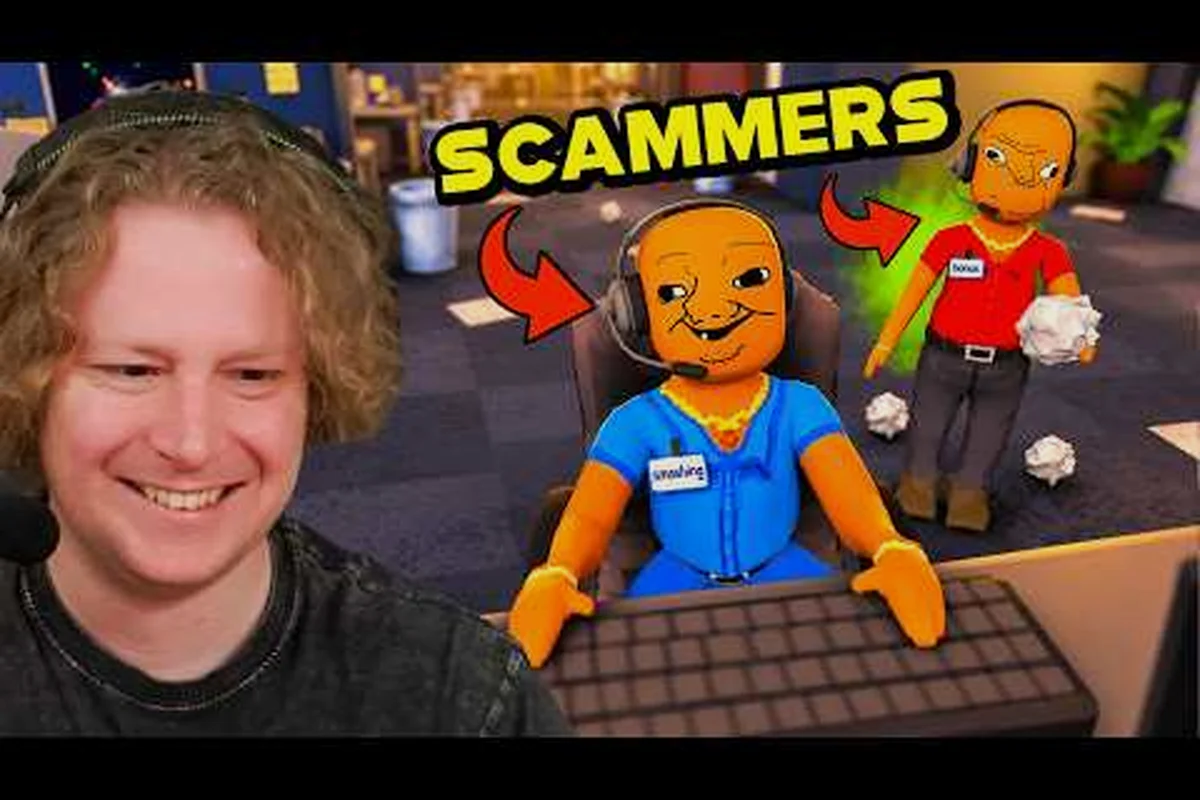
A dead browser tab mid-heist is the fastest way to lose a run, and a Scam With Your Friends browser not opening usually traces back to one of three fixable causes. This guide walks you through clearing the browser privacy warning, restoring your session, and staying anonymous so a trace back never catches you.
Why Your Browser Refuses to Open
The in-game browser is your single point of failure during any remote access job. When it stalls, the victim's machine stays locked, the timer keeps running, and your crew watches the payout slip away. Most players assume this is a random bug, but the underlying causes are consistent enough that you can diagnose them in under a minute once you know what to look for.
Three failure modes account for nearly every report. The privacy warning overlay blocks the address bar until you acknowledge it, a stale session token refuses to reconnect after a disconnect, and a trace-back flag from a previous job quietly locks the browser until it clears. Each one has a distinct symptom, so the first step is always identifying which state you're in.
| Symptom | Likely Cause | Quick Fix |
|---|---|---|
| Blank tab, address bar greyed out | Privacy warning overlay | Click the shield icon, confirm the prompt |
| "Session expired" on load | Stale session token | Close browser, reopen from victim desktop |
| Browser opens then instantly closes | Trace-back flag active | Wait for access to return or swap victim |
| Spinning loader forever | Network desync | Return to desktop, re-enter remote access |
| Address bar types but won't navigate | Input lock during warning | Dismiss warning first, then type |
The good news is that none of these states are permanent. The browser is designed to recover, and understanding the difference between a warning and a genuine lock saves you from panicking and abandoning a job you could still finish.
The Privacy Warning Overlay
The browser privacy warning is not a bug — it's a deliberate gate the game uses to simulate a cautious victim machine. When it appears, the address bar locks and any keystrokes you type vanish, which is why so many players think the browser is broken. The overlay wants a single confirmation before it hands control back.
Look for the shield icon in the top-left corner of the browser window. Clicking it reveals a short prompt asking you to accept the connection risk. Confirm it, and the address bar unlocks immediately. If you skip this step and try to type a URL first, the input silently fails and the tab looks frozen.
In practice, the warning appears more often on high-security victim profiles, so if you're targeting a cautious mark, expect to clear it every time you reconnect. Treat it as a routine step rather than an error, and you'll stop losing seconds to confusion.
Restoring a Broken Browser Session
A Scam With Your Friends browser session can drop for reasons that have nothing to do with your connection. The game ties each session to the victim's desktop state, so if you back out to your own machine or the victim reboots, the token goes stale. Reopening the browser from the victim's desktop regenerates it.
The recovery sequence matters more than most players realize, because each step clears a specific piece of stale session state rather than just "resetting" the browser. Doing it out of order leaves you staring at the same expired screen: close the tab first and the remote access token survives, reopen from your own machine and the victim's desktop state never refreshes, and skip the load wait and the address bar inherits the old session ID. Treat the order as a dependency chain — desktop first, window second, remote access third, load fourth, address bar fifth — and the browser session reattaches on the first attempt instead of the third.
-
Return to the victim's desktop before touching the browser again — reopening from your own machine never works.
-
Close the browser window completely, not just the tab, so the session fully terminates.
-
Reopen remote access from the victim's taskbar icon to spawn a fresh session.
-
Wait for the desktop to finish loading before launching the browser, or you'll get a second stale token.
-
Confirm the address bar is active by typing a single character before entering a full URL.
If the session still won't hold, the victim machine may have entered a locked state from an earlier mistake. That's where the trace-back flag comes in, and it's worth understanding before you burn another attempt. For a broader walkthrough of the remote access flow itself, the hacking guide covers how sessions connect to victim computers from the start.
Reading the Shift Clock
Every session runs on a visible countdown, and the timer is your best early warning that something is about to break. When the clock starts stuttering or jumping backward, the session is desyncing and will drop within seconds. Backing out cleanly before it fails preserves your progress better than riding it into a crash.
Clearing a Trace Back Flag
A trace back is the game's punishment for leaving evidence behind, and it manifests as a browser that opens and closes instantly. The flag doesn't announce itself with a message — it just quietly blocks your access until access returns or you change targets. Recognizing it early saves you from repeatedly reopening a browser that will never load.
The table below breaks down how long a trace back flag typically lingers based on how much evidence you left behind. The pattern is causal, not random: a clean exit with zero files copied registers no flag at all, while a full data grab with no cleanup pins a long lockout that only clears when you swap to a new victim. Partial transfers sit in between — a short lockout you can simply wait out before reconnecting. The worst case is a trace triggered mid-transfer, which locks the browser instantly and forces you onto a fresh target, since the current session is burned.
| Evidence Left | Flag Duration | Recovery Method |
|---|---|---|
| Clean exit, no files copied | None | No action needed |
| Partial file transfer | Short lockout | Wait, then reconnect |
| Full data grab, no cleanup | Long lockout | Swap to a new victim |
| Repeated failed attempts | Extended lock | Abandon victim, reset run |
| Trace triggered mid-transfer | Immediate lock | New victim required |
The lesson is straightforward: clean exits prevent flags entirely. Copying files and then closing the browser without clearing your tracks is the most common way players trigger a trace back. If you're running a data-heavy job, plan your cleanup before you start, not after.
Staying anonymous across multiple jobs is a related discipline. The scam combos guide explains how pacing your targets and varying your approach keeps suspicion low, which directly reduces how often you trip a trace flag in the first place.
When to Abandon a Victim
Sometimes the smart play is walking away. If a victim has triggered a flag twice, the lockout compounds and your time is better spent elsewhere. Veteran players treat a double-flagged target as dead and move to a fresh mark rather than grinding against a locked browser. The payout you lose is smaller than the time you'd waste.
Staying Anonymous During Remote Access
Staying anonymous is less about a single trick and more about a consistent routine. The game tracks how you behave across jobs, and patterns are what get you caught. A player who varies their timing, cleans up after every transfer, and never lingers on a victim machine will rarely see a trace back at all.
The routine works because Scam With Your Friends flags a browser session on cumulative signals, not one loud event — a job hit at the same minute every session, files left in the clipboard, or a remote access session that idles until it times out all stack up into a trace back. Spacing your job timing, clearing copied files before closing the browser, and logging out of remote access manually each cut one of those signals, so no single session ever crosses the threshold that triggers the browser privacy warning.
-
Vary your job timing so you're not hitting victims on a predictable schedule.
-
Clear copied files before you close the browser, every single time.
-
Log out of remote access rather than letting the session time out on its own.
-
Avoid revisiting a victim you've already scammed unless the payout justifies the risk.
-
Keep sessions short — long connections give the victim's system more chances to flag you.
These habits compound. A player who follows all five will find that the browser privacy warning becomes the only obstacle they regularly face, and that one is a two-second click. Avoiding detection is really about boring consistency, not clever tricks.
| Habit | Detection Impact | Effort |
|---|---|---|
| Varying job timing | High reduction | Low |
| Clearing files before exit | High reduction | Medium |
| Logging out manually | Medium reduction | Low |
| Avoiding repeat victims | Medium reduction | Low |
| Keeping sessions short | Medium reduction | Medium |
The Cost of Getting Caught
A trace back isn't just an inconvenience — it can end a run outright if it happens at the wrong moment. Understanding the stakes makes the routine worth the effort. Players who skip cleanup to save ten seconds often lose minutes to these lockouts, and the math never favors the shortcut.
Step-by-Step Browser Recovery Checklist
When your browser won't open and you're mid-job, you don't have time to reason through causes. This checklist walks you through the fix in the order that resolves the most common problems fastest. Work top to bottom and stop as soon as the browser loads.
-
Check for the shield icon and dismiss the privacy warning if it's present.
-
Close the browser completely and return to the victim's desktop.
-
Reopen remote access from the taskbar to spawn a fresh session.
-
Wait for the desktop to load fully before launching the browser again.
-
Type one character in the address bar to confirm input is active.
-
If it still fails, assume a trace-back flag and swap to a new victim.
Most players find that steps one through three solve the problem outright. The remaining steps exist for the rarer cases where a flag or a locked victim is the real culprit. Keeping this order in mind means you never waste a job reopening a browser that was never going to load.
Quick Reference for Common Errors
If you only remember one thing, remember that the privacy warning is the most frequent cause and the easiest to fix. The table below maps each error message to its fix so you can act without reading the full checklist.
| Error Message | Fix |
|---|---|
| "Connection not secure" | Dismiss privacy warning via shield icon |
| "Session no longer valid" | Close and reopen from victim desktop |
| "Access denied" | Trace-back flag — swap victims |
| "Loading..." indefinitely | Return to desktop, re-enter remote access |
| Address bar unresponsive | Dismiss warning, then type |
Frequently Asked Questions
Why does the browser keep showing a privacy warning?
The privacy warning is a deliberate gate tied to the victim's security profile, so high-security marks trigger it every time you reconnect. It's not an error — clicking the shield icon and confirming the prompt clears it instantly. Expect it as a routine step on cautious targets rather than a sign something is broken.
How do I fix a browser that opens and closes immediately?
That behavior almost always means a trace-back flag is active on the victim. The browser won't stay open until access returns or you switch to a new target. If you've already triggered a flag on that victim twice, abandon them entirely and move on.
Can I stay anonymous without clearing files every time?
You can, but your detection risk climbs fast. Clearing copied files before you close the browser is the single highest-impact habit for staying anonymous, and skipping it is the most common way players trigger a trace back. The ten seconds you save rarely outweighs the lockout you earn.
What causes a session to expire mid-job?
Sessions expire when you back out to your own machine, when the victim reboots, or when the connection desyncs. Reopening the browser from the victim's desktop regenerates the token. If it keeps dropping, the victim may be in a locked state from an earlier mistake.
Is a trace back permanent?
No, but it can end a run if it lands at the wrong moment. Short flags clear after a wait, while repeated flags on the same victim compound into an extended lock. Swapping to a fresh victim is usually faster than waiting out a long lockout.
Recovering a stalled browser comes down to three habits: dismiss the privacy warning, reopen your session from the victim's desktop, and clean up before you exit. Master those, and a Scam With Your Friends browser not opening stops being a run-ender and becomes a ten-second pause you barely notice.