
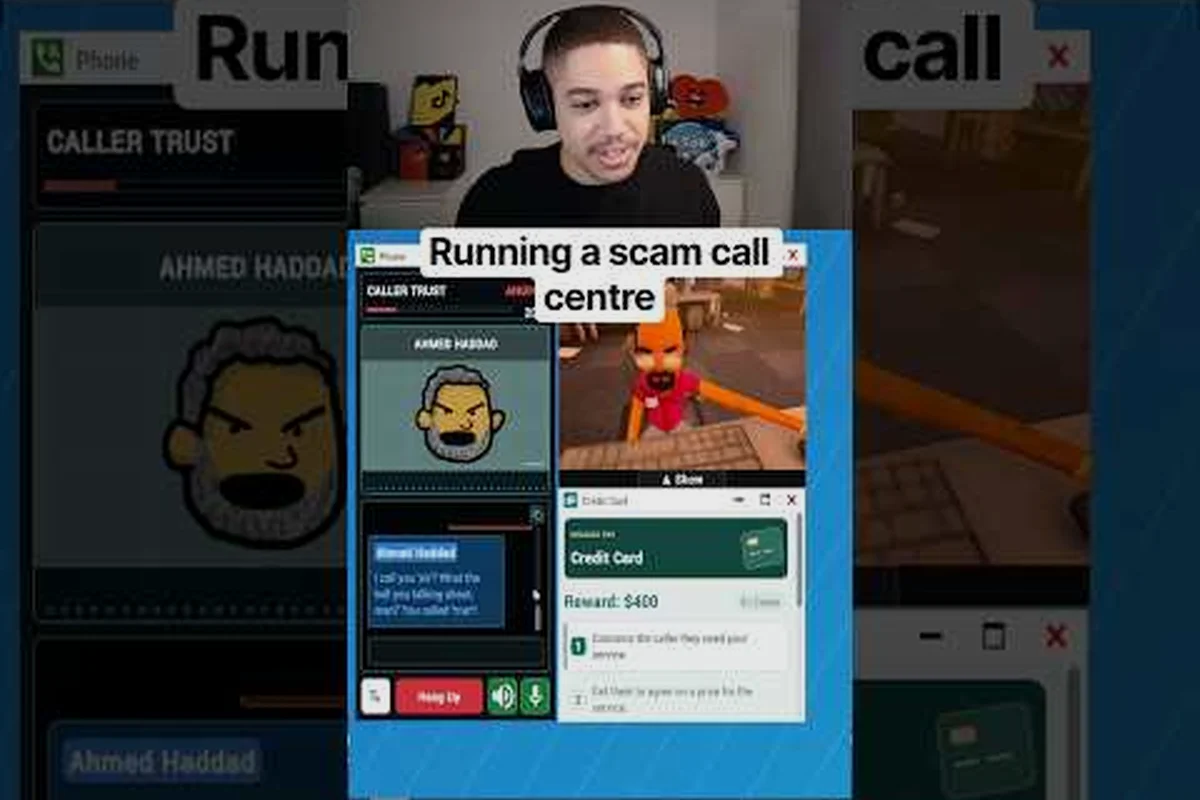
Your first shift in Scam With Your Friends looks simple until three phones ring at once and a transferred caller starts asking questions you never rehearsed. This office guide fixes that by teaching desk setup, call answering, and handoff discipline in one pass.
The game is a co-op job simulator where one to eight players run a scam call center crew inside a fictional Kolkata office, according to the official Scam With Your Friends Steam page. Every workday is a run, and every run is judged on how cleanly your crew moves callers from first ring to closed deal. Get the office fundamentals right and the chaos becomes manageable.
Why Office Layout Decides Your Run
The office is not decoration. It is the machine your crew operates, and a bad layout costs you seconds on every single call. Those seconds compound across a full workday, especially once run-based progression starts throwing increasingly chaotic shifts at you.
Each desk in the room functions as a workstation with its own terminal, phone, and remote access setup. When you sit down, you inherit whatever state the previous occupant left behind — open windows, half-finished scripts, and sometimes an active caller still on hold. Knowing which desk does what before the first ring is the difference between a smooth shift and a panic spiral.
Desk assignment matters more than most new crews realize. A player who understands their station answers faster, transfers cleaner, and wastes less time hunting for tools mid-conversation.
| Desk Type | Primary Function | Best For | Risk Level |
|---|---|---|---|
| Front-line desk | First contact, script reading | New or nervous players | Low |
| Transfer hub | Routing callers between stations | Coordinators | Medium |
| Remote access station | Victim computer control | Technical players | High |
| Closer desk | Final pitch and payment | Confident talkers | Medium |
The front-line desk is where most runs begin, because it absorbs the first wave of inbound calls while the rest of the crew settles in. Transfer hubs sit in the middle of the room for a reason — they shorten the physical walk between stations, and in a game where callers time out, distance is a real cost.
Players who treat the office as a static backdrop tend to lose callers during the handoff window. Those who memorize the floor plan move like a pit crew. If you want a broader foundation before optimizing layout, the beginner guide covers controls and first-day basics that this article assumes you already know.
Setting Up Your Desk Before the First Ring
A clean desk setup is the single highest-value habit in this game, and it takes about thirty seconds. Do it before the phones start, not during a live call. The Steam page confirms each workstation includes a paint app, screen recorder, and camera alongside the core calling tools, so there is more to arrange than most players expect.
Start by closing every window you do not need. An open paint app or recorder panel eats screen space and, more importantly, eats attention. Then confirm your script is visible and your remote access is loaded but not yet connected.
-
Script panel — keep it open and scrolled to the opening lines
-
Remote access — loaded, disconnected, ready to fire on command
-
Screen recorder — armed only if your crew is running a documentation strategy
-
Camera — positioned so it does not block your caller view
-
Phone volume — checked, because a muted phone is a dead run
The desk guide principle here is simple: everything you need within one click, everything you do not need closed. Crews that skip this step spend the first two minutes of every shift fumbling through menus while callers wait, and impatient callers hang up.
One more habit worth building early is a personal reset routine. When a call ends badly, take three seconds to close the fallout — clear the terminal, reset the script, breathe — before the next ring. Players who chain calls without resetting carry mistakes forward, and a botched pitch on caller two often traces back to a rushed close on caller one.
How to Answer Calls Without Losing the Mark
Answering is not just picking up. It is a timed sequence, and understanding the sequence is the core of any serious office guide. The phone rings, you accept, you establish a persona, and you hold the caller's attention long enough to move them toward the pitch. Skip a step and the mark gets suspicious.
The first two seconds decide everything. Callers react to hesitation, so crews that practice a consistent opening line convert noticeably better than crews that improvise. Real-time AI conversations mean the caller is genuinely listening to what you say, not following a scripted tree, so a confident opener buys you room to maneuver.
| Call Stage | What You Do | Common Mistake | Fix |
|---|---|---|---|
| Ring | Accept within the first few rings | Letting it ring out | Assign one player to watch the board |
| Open | Deliver persona and hook | Sounding unsure | Rehearse one opener per player |
| Hold | Keep caller engaged | Dead air | Ask a question, then listen |
| Pitch | Present the offer | Rushing the ask | Slow down at the money line |
| Close | Confirm and log | Forgetting to log | Log immediately after hangup |
The call flow you build should be identical every time, because repetition is what makes it fast. Pick one opener, one mid-call question, and one closing line, then run that exact sequence until it is muscle memory. Crews that standardize their flow report far fewer dropped callers than crews that freestyle every conversation.
Holding a caller is its own skill. Dead air kills trust, so when you need a moment to check a script or coordinate with a teammate, ask the caller a question instead of going silent. A simple "can you confirm that detail for me?" buys you five seconds and makes the caller feel attended to. This is the single most transferable trick in the game, and it applies whether you are solo or running a full eight-player lobby.
Managing Transferred Calls Across the Office
Transferred calls are where most crews fall apart, because a handoff involves two players, one caller, and a shrinking patience window. If the receiving desk is not ready, the caller hears confusion and the run bleeds value. Treat every transfer as a scheduled event, not a toss.
The cleanest pattern is a verbal handoff. Before you route a caller, tell your teammate what persona you used, what the caller wants, and what stage the conversation reached. That single sentence prevents the receiving player from contradicting your story, which is the most common cause of a blown transfer.
-
Announce the transfer — name the receiving desk out loud
-
Summarize the caller — persona, request, current stage
-
Confirm readiness — wait for an acknowledgment before routing
-
Stay on standby — be ready to take the caller back if it sours
-
Log the handoff — note which desk closed the call
When a transfer goes wrong, the recovery matters as much as the prevention. If the receiving player fumbles, the original handler should be able to reclaim the caller smoothly rather than letting them hang up. Crews that practice reclaiming transfers survive bad handoffs; crews that do not lose the mark entirely.
Transfer hubs exist to make this physical movement short, which is why desk placement and transfer discipline are the same skill wearing two hats. A crew with a tight hub layout and a rehearsed handoff script can push callers through three stations in the time a disorganized crew spends on one.
Coordinating a Full Crew During Chaotic Shifts
Once progression ramps up, workdays get genuinely chaotic. The Steam page lists computer viruses, police raids, and even air strikes among the hazards that escalate over a run, so a crew that only practices calm-day calling will collapse the moment the office catches fire. Coordination under pressure is the real endgame skill.
Role clarity is what keeps a crew functional when everything is on fire. If everyone knows their desk and their default responsibilities, the group can absorb a crisis without a meeting. Assign a caller-watcher, a transfer coordinator, and a remote-access operator before the shift starts, then let those roles hold even as the situation deteriorates.
| Crew Size | Recommended Roles | Priority Focus | Weak Point |
|---|---|---|---|
| 1 player | All roles, sequential | Call flow discipline | No backup on transfers |
| 2-3 players | Caller + transfer hub | Handoff speed | Thin coverage during hazards |
| 4-5 players | Full station coverage | Parallel calling | Coordination overhead |
| 6-8 players | Specialized + floaters | Crisis absorption | Role confusion if unclear |
Solo players should not try to mirror a full crew. Instead, run a tighter sequence: answer, hold, pitch, close, reset, repeat, and accept that transfers are mostly self-transfers. The solo and first-day guide walks through the mistakes that sink lone operators, and most of them trace back to skipping the reset step between calls.
Larger crews have the opposite problem. With six to eight players, the office gets crowded and callers get passed around too freely. The fix is a rule: never transfer without announcing, and never accept a transfer without confirming. Two sentences of discipline keep a big lobby from turning into a shouting match.
Desk Upgrades and Office Tools Worth Prioritizing
Progression eventually gives you access to better office equipment, and knowing what to buy first saves you from wasting a run's earnings on the wrong upgrade. The general rule is that upgrades which reduce time-per-call beat upgrades that add raw capability, because your bottleneck is almost always speed rather than power.
Prioritize in this order: anything that speeds up call answering, then anything that shortens transfer time, then anything that improves remote access reliability. Cosmetic and recording tools come last unless your crew is deliberately running a documentation or content strategy. A progression and efficiency guide breaks down the upgrade economy in more detail if you want the full math.
-
Answer-speed upgrades — highest value, affects every call
-
Transfer-path upgrades — compounds across a full shift
-
Remote access reliability — reduces mid-call failures
-
Recording and camera tools — situational, crew-dependent
-
Cosmetics — lowest priority for pure performance
The Steam Workshop is also worth checking, since the game is built to be heavily moddable and community caller packs have become one of the fastest-growing content categories since launch. Custom personalities and voice packs change how callers behave, which in turn changes how you should answer them. If your crew has mastered the base callers, Workshop packs are the natural next challenge.
Frequently Asked Questions
What should I set up at my desk first?
Close every unnecessary window, then confirm your script panel is open and your remote access is loaded but disconnected. Check phone volume before the first ring. This thirty-second routine prevents the fumbling that costs crews their opening calls every shift.
How do I answer calls without sounding nervous?
Rehearse one fixed opening line and use it every single time. Consistency reads as confidence, and since callers respond to real-time conversation rather than a scripted tree, a steady opener buys you room to maneuver through the rest of the call.
Why do my transferred calls keep failing?
Most failed transfers happen because the receiving desk was not ready or did not know the caller's story. Announce the transfer, summarize the persona and stage, and wait for acknowledgment before routing. A rehearsed handoff script fixes nearly every transfer problem.
Can I run the office solo?
Yes, but expect to self-transfer and skip the hub entirely. Run a tight answer-hold-pitch-close-reset loop and accept slower throughput. Solo runs reward discipline over speed, and skipping the reset step between calls is the most common way lone operators lose marks.
Do desk upgrades actually matter?
They matter most when they cut time-per-call, because speed is your real bottleneck. Answer-speed and transfer-path upgrades compound across a full shift, while cosmetics and recording tools only pay off if your crew is deliberately documenting runs.
Mastering the office comes down to three habits: a clean desk setup before the first ring, a rehearsed call flow you never improvise, and transfer discipline that keeps every handoff announced and confirmed. Get those right and even the chaotic late-run shifts become survivable, because your crew is moving as one machine instead of eight people guessing.